Remote Kiosk Device Management: close-up of a computer circuit board
AI & Enterprise Software

Monitor and manage all kiosk devices from one place.

Introduction

What is Remote Kiosk Device Management?

Remote Kiosk Device Management lets you monitor and manage all of your kiosks from one place. You can see how your network is doing without sending someone to each location.

Know how your kiosks are doing without visiting each location. Monitor and manage your whole network centrally.

Category
AI & Enterprise Software
Best for
Businesses running kiosks at many locations
Why it matters

A kiosk that is down without anyone noticing means lost service. Central monitoring helps you spot and act on problems sooner.

Who it is for

Built for People Like You.

Businesses running kiosks at many locations Operations teams responsible for uptime Retail and service networks Companies planning a kiosk rollout
Sound familiar?
  1. 01Staff travel to check on each kiosk
  2. 02Problems are found only after complaints
  3. 03It is hard to know the state of every device
  4. 04Managing devices gets harder as the network grows
What you get

What's Included.

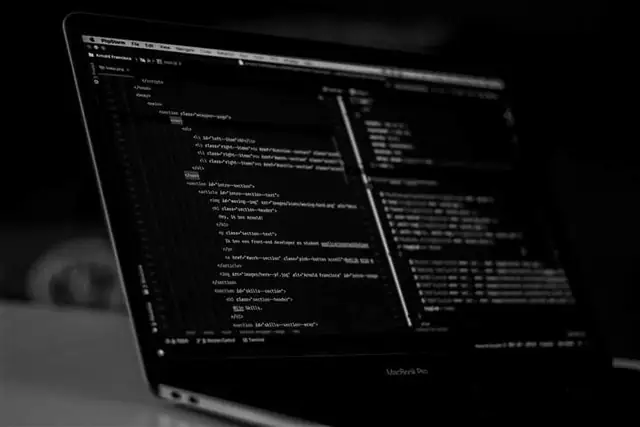
Device monitoring: laptop screen showing lines of code

Device monitoring

See how your kiosk devices are doing.

Request a demo

Multi-location view: laptop showing marketing analytics charts

Multi-location view

Keep sites in different locations under one view.

Request a demo
How it works

From First Call
to Go-Live.

  1. 1

    Understand

    We talk through how your team works today and what needs to change.

  2. 2

    Configure

    We set up the product around your roles, data and approval steps.

  3. 3

    Connect

    We link it to the tools you already use, where that is needed.

  4. 4

    Launch & support

    We train your team, go live and stay available for help.

Plans

Pick the Plan That Fits.

Start with Basic and move up when you are ready, or take Premium from day one. Both are a subscription, quoted to the size of your team and sites.

Basic

Everything you need to get Remote Kiosk Device Management running.

Custom quote Billed monthly. Stay flexible.Billed yearly. Lower cost per month.
  • Device monitoring
  • Central management
  • Standard setup and online walkthrough
  • Email support in business hours
  • Updates included
Get Basic
Most chosen

Premium

The full product, set up around your business and backed by priority support.

Custom quote Billed monthly. Cancel any month.Billed yearly. Our best value.
  • Everything in Basic, plus
  • Multi-location view
  • Easier upkeep
  • Setup tailored to your workflow
  • Live training for your team
  • Custom integrations and dashboards
  • Priority support with a named contact
Get Premium

How we compare

What each plan includes, next to what is common in the market.

What you getBasicPremiumTypical market
Product features First 2 core features All 4 features Often sold as paid add-ons
Setup and configuration Standard setup Tailored to your workflow Usually a separate fee
Team training Online walkthrough Live training for your team Often charged extra
Support Email, business hours Priority, named contact Faster replies cost more
Integrations Common tools Custom integrations Limited or a paid add-on
Reports Standard reports Custom dashboards Higher tiers only
Updates and improvements Included Included Sometimes charged

The market column describes common practice in general terms, not any one company. Payments are non-refundable; please read our Refund Policy.

Where it helps

A retail kiosk network
Self-service machines across branches
Visitor kiosks across many sites
A growing multi-city rollout

Trusted Global Partners

Brands around the world build with us.

FAQ

Common Questions.

Still unsure? Ask our team and we will help.

It lets you monitor and manage all of your kiosk devices from one place.

Share your device details and we will check compatibility.

It helps most when kiosks are spread across sites, but we can review your setup.

Pricing depends on your scope, so we share a quote after understanding your needs. Contact our team for pricing.

It suits businesses running kiosks at many locations, operations teams responsible for uptime and retail and service networks.

Tell us what you need and we will arrange a walkthrough. We then agree a plan for your business.

It depends on your teams, data and the tools involved. We share a timeline before we begin.

Yes. We help your team learn the product as part of going live.

We stay available to help. The level of support is agreed in your plan.

We review your process first, then tell you clearly what can be configured or tailored.
Ready to start?

Talk to Us About
Remote Kiosk Device Management.

Tell us what you need and we'll help you find the right next step.